
Create a product
Create a product and maintain its master data, attributes, assets, suppliers and sales prices.
Start
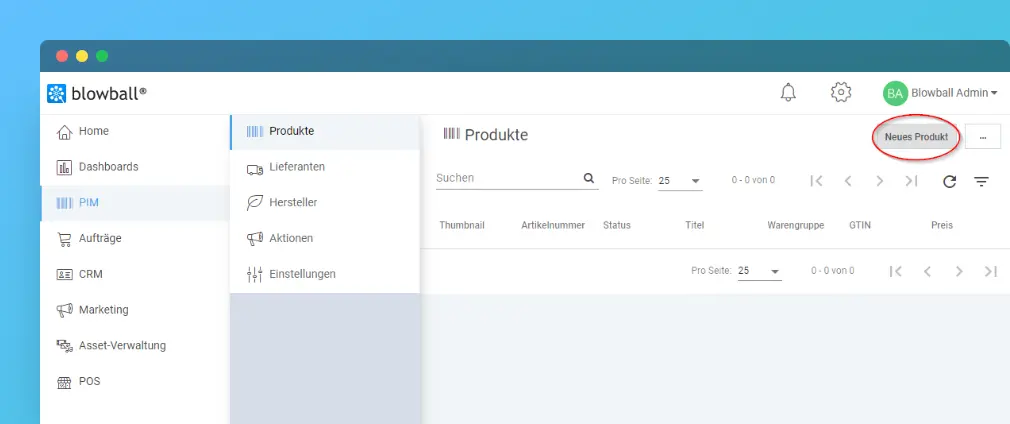
- Open Product Information Management by selecting PIM in the left-hand menu.
- Select Neues Produkt (New product) in the top-right corner.
Complete the form
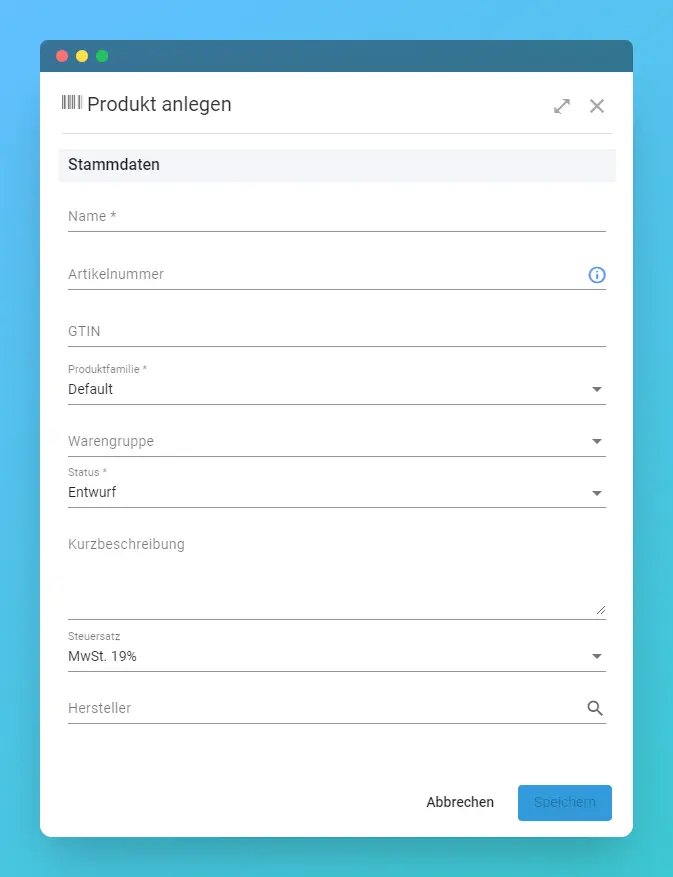
- Name is required.
- Artikelnummer (item number) is optional and is generated automatically when left empty.
- GTIN is optional.
- Select a Produktfamilie (product family) to determine the available attributes.
- Warengruppe (product group) is optional.
- The default status is Entwurf (draft).
- The default tax rate is 19%.
- Select the manufacturer.
Save the product
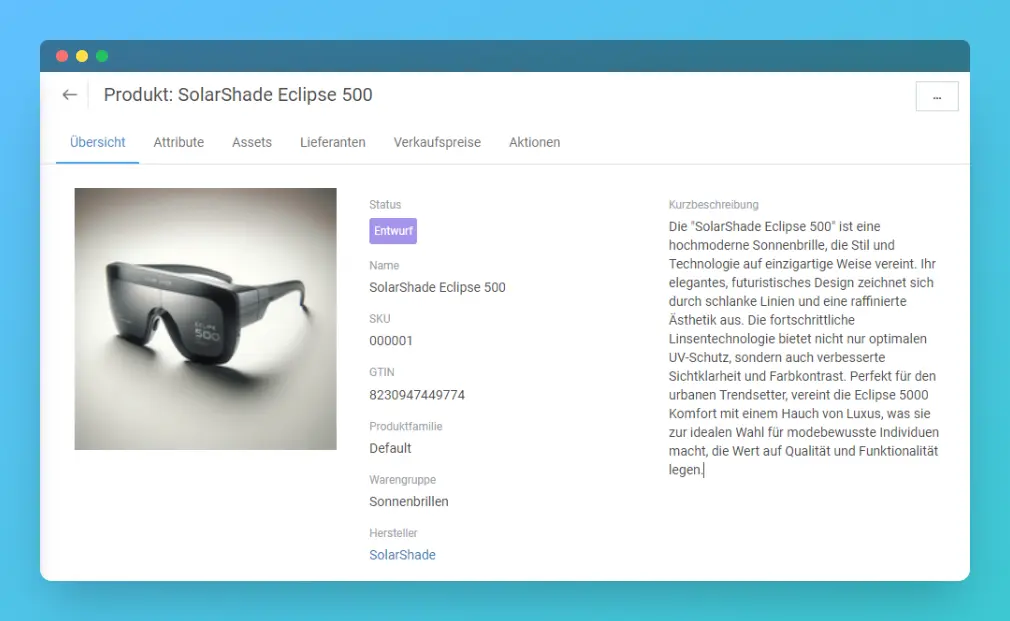
Select Speichern (Save). Blowball then opens the product detail page.
Edit product details
Übersicht contains the basic master data. Use Produkt bearbeiten to edit it.
Attribute contains the fields defined by the product family. See Product attributes.
Assets lets you upload files or assign existing assets.
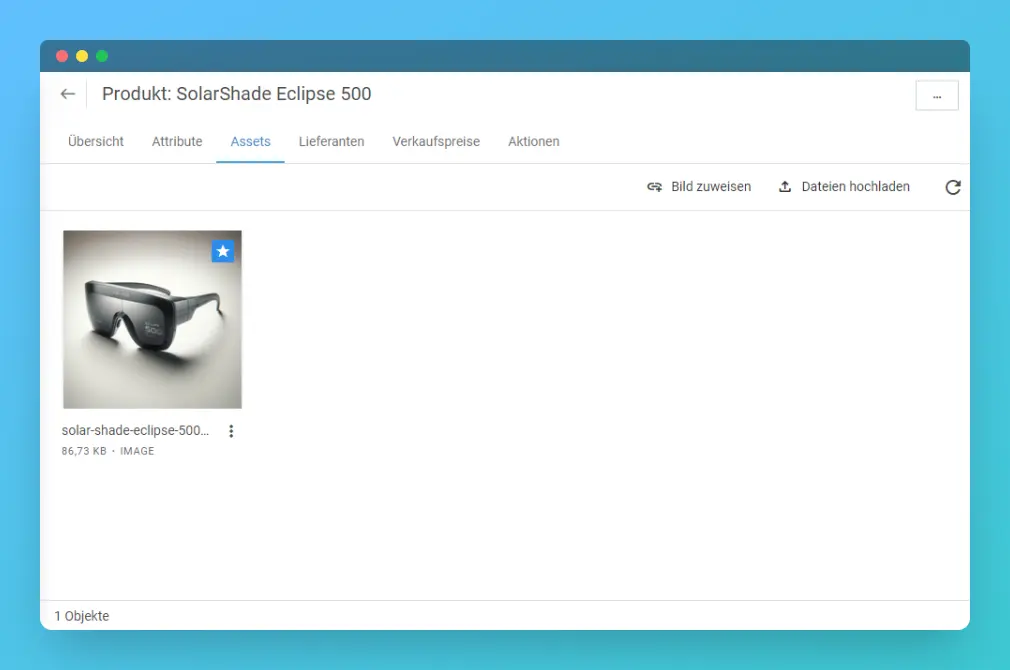
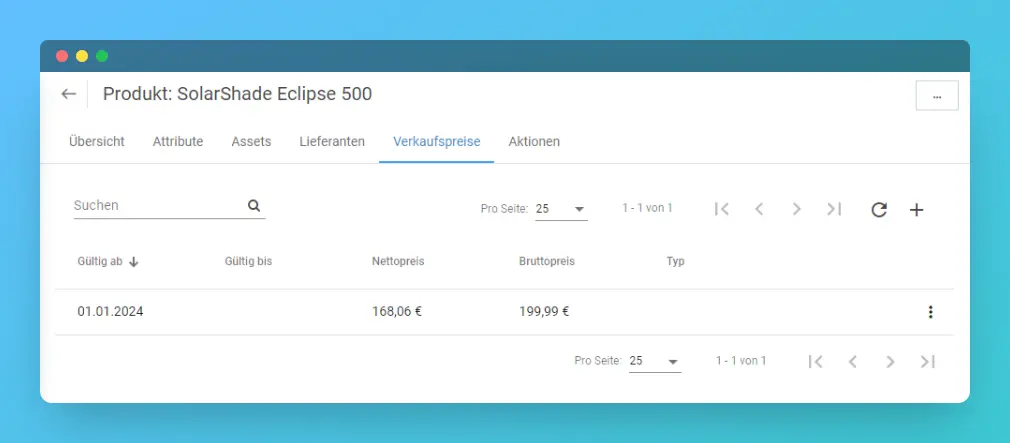
Lieferanten assigns suppliers. Verkaufspreise stores prices and validity periods.
Is anything unclear or missing? Let us know.